Your trips, made to last. Shop Travel Photo Books »
Up to 55% off almost everything See detailsEnds: 08/19Code: 20YEARS
Your trips, made to last. Shop Travel Photo Books »
Up to 55% off almost everything See detailsEnds: 08/19Code: 20YEARS
Story Mode
thumbnail
thumbnail
Tap to flip pages
thumbnail
thumbnail

Hardcover Photo Book

Square, 8.5×8.5, Matte Hardcover, Everyday Semi-Gloss, 20 pages

$42.99

Orientation

Landscape
Square
Portrait

Size

Starting Page Count

Pages can be added or removed in the Studio ($1.79 per extra page). Comfortably displays between 60-80 images.

20
30
40
60

Book details

A classic memento or thoughtful gift for any occasion, our bestselling photo book is beautifully crafted and durable.

Characteristics

  • Fully customizable, perfect for family memories, travel, years in review, everyday occasions, and unforgettable gifts.
  • Sturdy hardcover protects pages and holds up well to sharing. Available in glossy or matte finishes.
  • Starts at 20 pages with a max of 400 pages—more than twice as many as other photo book services.
  • Choose from three unique photo paper finishes: semi-gloss, matte, or lustre.
  • The latest print technology enhances color, clarity, and consistency of photos.
  • Best-in-class PUR bindings are made with the highest-quality glue available for lasting durability.

Pricing

For Hardcover Photo Books

Landscape

Size

Starting Price*

Small

8x6

$29.99

Medium

11x8.5

$49.99

Large

14x11

$84.99

Square

Size

Starting Price*

Small

8.5x8.5

$37.99

Medium

10x10

$54.99

Large

12x12

$79.99

Portrait

Size

Starting Price*

Large

8.5x11

$49.99

* Starting Price includes 20 pages with lowest priced cover + paper finishes.

Learn more about Pricing

Shipping

Use this tool to estimate shipping costs and arrival. Arrival date includes production time.

Sorted by
Order it by
Learn more about Shipping

We've got you covered

Have questions before getting started? We’re happy to help you find the right product, theme, or show you how to flex your creativity in Mixbook Studio. Contact our Customer Happiness Team via <Live Chat> or email us at hello@mixbook.com.

How to Start Making Your Digital Scrapbooks

Your camera roll is packed with memories that you can transform into gorgeous, shareable, online scrapbooks. No more cutting out old pictures and leaving a paper trail all over the house! Four easy steps to get started with digital scrapbooking:

  • Choose an theme. For example, you might pick this rainbow travel scrapbook theme for a collection of pics from beloved journeys you've been on. Browse templates ranging from seasonal to event-themed.
  • Upload your photos and drag and drop them to exactly where you want. Play around with special effects and stickers. Make your scrapbook uniquely yours by adjusting color, text, and just about any other aspect you can think of! Use your photos to tell a story or keep a record of memories that you want to keep safe forever.
  • Design your scrapbook. You can make a digital scrapbook and keep it online as inspiration, or turn it into a perfectly personalized photo book gift for the special people in your life.

Digital scrapbooking is easy with Mixbook. Our powerful software allows you to create your special project fast—and have fun along the way. Each template is completely customizable, so you can match it to your chosen theme exactly. Adjust the layout and background with ease, and search hundreds of stickers across dozens of themes to create something truly one-of-a-kind.

Create an anniversary scrapbook with photos from your wedding album or even your save-the-date cards. Or give your bestie the gift of precious moments with a digital memory book full of special holiday memories.

1. Choose a theme

You can pick a pre-designed theme to inspire you or a blank book for your creative ideas!

2. Upload your photos

Upload and arrange your favorite photos to create your personalized stories.

3. Design your scrapbook

Customize your digital scrapbook with stickers, text, and other creative elements to bring your vision into reality.

Free Assets You Can Use

Free Stickers

Bring your scrapbook to life with our wide range of stickers! From seasonal designs to playful icons, you can highlight your favorite moments and add a personal, creative touch to your digital scrapbook. With hundreds of options, every page can be uniquel

90 Unique Fonts

 Explore our new collection of stylish fonts and bring your scrapbook’s vibe to life effortlessly. Whether you want bold statements or subtle accents, these fonts will reflect your unique style on every page!

Diverse backgrounds

Create the perfect backdrop with our diverse selection of backgrounds! From subtle textures to vibrant patterns, find designs that complement any scrapbook theme – whether you're capturing travel adventures, seasonal highlights, or everyday memories.

How to access our free stickers

1. Start a scrapbook

Login, choose a theme to start making your online scrapbook, or pick a blank book to customize your design.

2. Upload your photos

Upload and arrange your favorite photos to create your story.

3. Use our sticker collection

Use the sticker tool to browse hundreds of designs, or upload your own for a personal touch!

4. Get creative!

Stickers, text fonts, and other creative fonts – they’re all yours to use and create a picture-perfect scrapbook.

More Professional Tools You Can Use

Optimize your photos

Crop, rotate, add borders, change shapes, and much more with our editor.

Use smart photos

Our newly integrated AI-generation captions allow you to write less and say more.

Up your image quality

Mixbook automatically enhances your photos to make your digital scrapbook look perfect.

Auto-create your story

All you have to do is upload your photos and we’ll organize them into a beautiful story, cover-to-cover.

Add vintage photo filters

Applying effects like black and white or sepia will make you more nostalgic when you go through your scrapbook.

Have fun creating with friends and family

Invite friends and family to add photos and diversify your design.

Gift Ideas and Trends for Online Scrapbooking

Digital scrapbooking is a great way to bring all your inspiration together and create incredible gifts. Each custom photo book, whether it's memories of a cherished vacation—check out our Trip Stories feature—or plans for your future home, is crafted from premium materials. Personalized memory books make perfect gifts for your children's grandparents or godparents for a birthday or special celebration.

Scrapbooks bring memories together with snazzy visuals for the younger members of your family. Celebrate a graduation or educational milestone with a yearbook-style scrapbook. Or bring together beloved family recipes to keep for generations—an ideal heirloom gift.

Take a look at our collection of designers for those extra special photo gifts.

Why Mixbook Is the Best Choice for Your Digital Scrapbook

Keeping your memories safe is easy with digital scrapbooks. Mixbook lets you take moments straight from your camera or smartphone to your computer and create gorgeous memory books based on your favorite scrapbooking ideas. Here’s why you should choose Mixbook for your digital scrapbooking needs:

Easy, Fast, and Free

Free themes

Sign up and get instant access to 700+ themes! We offer endless design options to personalize your scrapbook.

Free digital backups

Never lose your scrapbook. Order extra copies to share and gift without any hassle.

Free stickers

Explore thousands of stickers in every style or upload your own and personalize your design.

No Skills Required

With Mixbook Studio, anyone can be a scrapbook maker. No design skills required—just create beautiful projects with ease.

AI tools to inspire you

Upload your photos, auto-organize them, and add captions in a snap. Mixbook makes creating your scrapbook effortless and fun!

All-in-One Scrap Kits

Make scrapbooking a breeze with our curated kits, featuring premium stickers, fonts, and backgrounds. Everything you need to create your perfect design is in the palm of your hand!

About Our High-Quality Digital Scrapbooking Online

Mixbook's DIY digital scrapbooking services are designed for everyone. Mixbook's software simplifies the process of collating your scrapbook ideas, while our extra features make it possible to add fancy details and unique touches of you to each page. Upload additional photos, images, or clipart of your own, or simply browse the many choices available via our platform. Once you've created the perfect scrapbook, you can order it as a physical book with just a few clicks.

Our lay flat photo books are crafted with premium paper and resist warping while offering a beautiful exterior for your digital scrapbooking project. Mixbook helps you transform your smartphone's camera roll into gorgeous mementos that you can share with your friends, family, and loved ones.

Got Questions?

What is a digital scrapbook photo book and how does it work?

A digital scrapbook photo book is a printed custom album created online using digital software that emulates traditional physical scrapbooking through pre-designed graphic elements like digital stickers, paper textures, ticket stubs, and photo frames. On the Mixbook Digital Scrapbook theme page, creators upload photos to the Mixbook Studio™ editor to arrange images, edit captions, and customize backgrounds without needing glue, scissors, or physical craft supplies. Completed books are professionally printed and bound using durable PUR adhesive bindings in formats ranging from 20 to 400 pages.

What is the difference between Mixbook Softcover, Hardcover, Layflat, and Luxe Album book types?

The primary differences between Mixbook book types lie in binding structure, maximum page count, paper quality, and baseline pricing. The Mixbook Softcover,starting at $14.99, and Hardcover,starting at $29.99, both support between 20 and 400 pages with Everyday Semi-Gloss or Signature Matte paper choices. The Mixbook Layflat,starting at $74.99, supports up to 100 thick pages designed to lie completely flat across two-page photo spreads, while the Luxe Album offers seamless ultra-thick pages up to 90 pages and includes an optional rigid deep purple keepsake box.

What are the best book sizes and paper finishes for a travel or family digital scrapbook?

The most popular sizes for a travel or family digital scrapbook are 11×8.5 in. Landscape, 10×10 in. Square, and 12×12 in. Square because they provide ample surface area for photo collages and journal entries. Mixbook offers three core paper finishes for these formats: Everyday Semi-Gloss for vibrant everyday color contrast, Signature Matte for a non-glare smooth texture, and Premium Lustre for high-end archival photo richness. For layflat landscape photography spreads, the 12×12 in. or 10×10 in. Layflat format with Signature Lustre paper provides seamless panoramic viewing without page curve distortion.

Can you start a digital scrapbook on your phone using Mixbook Story Mode?

Yes, you can easily start creating a digital scrapbook directly on your mobile device by using Mixbook's Story Mode feature. Story Mode allows mobile users to select photos straight from their phone camera roll, which the smart technology automatically organizes into chronological or themed page layouts complete with ready-to-edit captions and digital embellishments. You can draft your scrapbook on your phone while on the go and seamlessly finish customizing or purchasing it on your mobile browser, the Mixbook app, or a desktop computer.

How much does a custom digital scrapbook photo book cost?

A custom Mixbook Digital Scrapbook photo book starts at $14.99 for a 20-page Softcover edition or $29.99 for a 20-page Hardcover edition. Square and landscape Hardcover configurations range in starting price from $29.99 for a small 8×6" format up to $84.99 for a large 14×11" volume. Premium binding upgrades include Layflat options starting at $74.99 and Luxe Albums starting at $99.99, with total cost determined by final page count, paper finish, and size selections.

What is the difference between a traditional scrapbook and a digital scrapbook photo book?

The main difference between a traditional scrapbook and a digital scrapbook photo book is that traditional scrapbooks rely on physical adhesives, paper cutouts, and photo corners, whereas a digital scrapbook combines photo layouts and embellishments digitally before professional printing into a single unified print. Mixbook's Digital Scrapbook photo book eliminates physical wear, loose pages, and bulky embellishments while providing up to 400 pages of high-resolution digital print storage. Additionally, digital scrapbooks can be re-ordered in multiple copies for family members or edited collaboratively online.

How many photos and pages can you put in a Mixbook Digital Scrapbook?

A Mixbook Digital Scrapbook photo book supports a base count of 20 pages up to a maximum capacity of 400 pages in Softcover and Hardcover formats. Because users can place multiple photo slots, stickers, and text frames on a single page spread using Mixbook Studio™, a single 400-page book can hold hundreds to thousands of digital photos. Layflat variations of the digital scrapbook can include 100 pages, and Luxe Album can include up to 90 pages.

How do you make a digital scrapbook photo book without crafting skills?

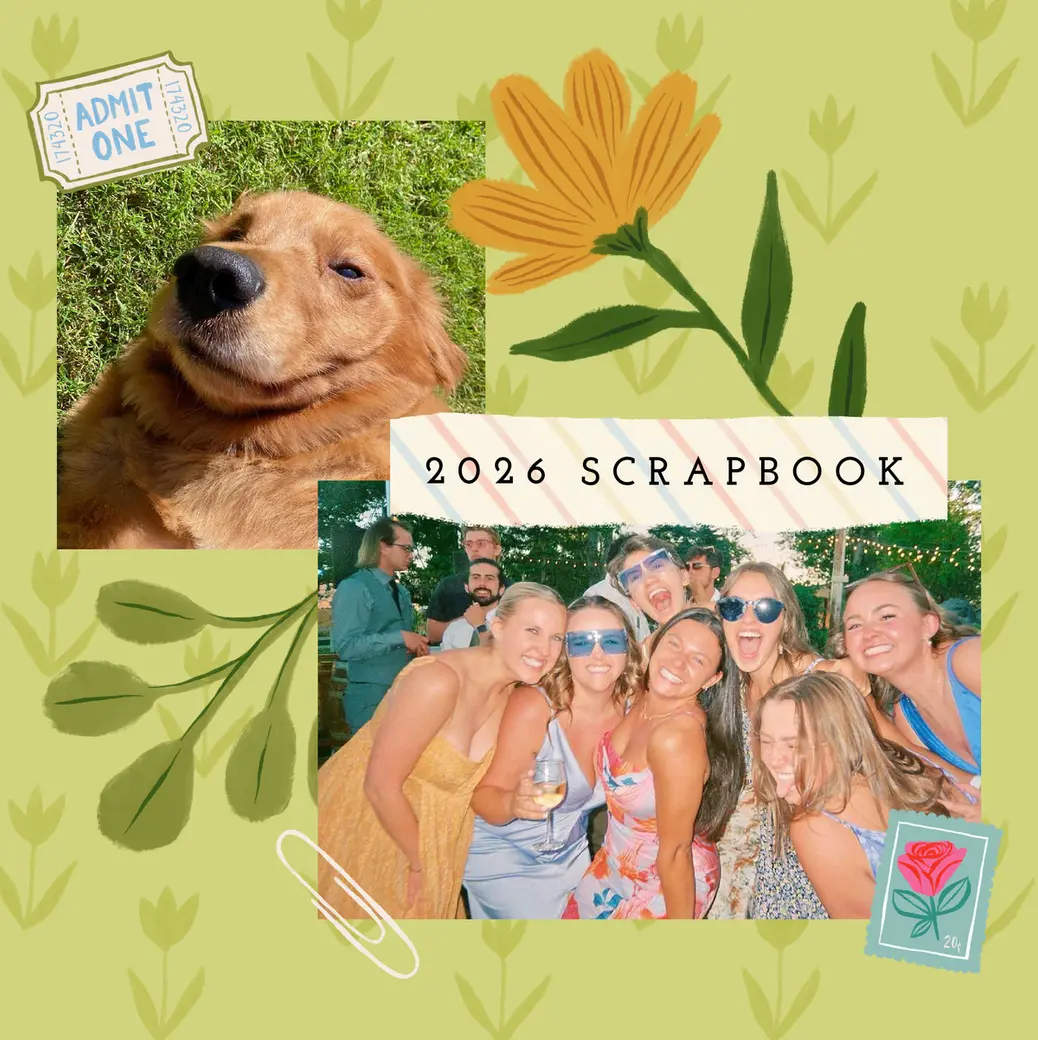
You can make a digital scrapbook photo book without physical crafting skills by selecting a pre-designed layout like the Mixbook Digital Scrapbook theme and using AI-assisted design tools. Mixbook Studio™ automatically organizes uploaded photos into artistic page layouts complete with themed background graphics, doodle accents, faux ticket stubs, and more. Creators can auto-populate photos into ready-made templates or drag and drop elements to personalize text, photo sizing, and sticker placements in minutes.

Can you order multiple copies of a personalized digital scrapbook for family gifts?

Yes, personalized digital scrapbook photo books created on Mixbook can be ordered in unlimited duplicate quantities or resized into different book formats for family gifting. Once a project is completed in Mixbook Studio™, copies can be sent directly to separate shipping addresses with options to apply bulk discounts on qualifying volume orders. Because the design is stored safely in your online account, you can reorder identical books years later or update the text and photos for new recipients.

I need a theme for my digital scrapbook. Can Mixbook help?

Absolutely! We've got hundreds of templates in dozens of categories to help you narrow down the choices. If you need more help getting started, check out this video.

How easy is it to print my finished online scrapbooks?

So easy. Click that big "order" button in the top right corner, and choose the options that suit you best.

Need more information? Contact our dedicated customer service team. Satisfaction guaranteed!

Can you do digital scrapbooking?

Yes, you can! Digital scrapbooking is a modern way to create scrapbooks using a computer, tablet, or phone. Simply upload your photos, choose from various graphics, stickers, and backgrounds, and arrange them on the page like a traditional scrapbook. It's an easy, creative way to preserve memories without dealing with paper and glue!

How do I make a scrapbook on my laptop?

Start by selecting the right platform. Mixbook offers everything you need to create a stunning scrapbook, from themes, and design elements to photo editing tools. Upload your photos, drag and drop them into layouts, and customize every detail – all through Mixbook Studio, our scrapbook maker!

Can I create my scrapbook layouts?

The size of your book depends on your project needs, and Mixbook offers plenty of options to choose from. Sizes range from a compact 6x6 to a large 14x11, with the popular 8.5x8.5 being a favorite for photo albums, scrapbooks, and memory books!

Can I download my scrapbook as a PDF?

Unfortunately, you can’t download your scrapbook as a PDF. However, you can access it anytime for free by logging into Mixbook on your computer or using our mobile app. Your project is always available whenever you need it!

Can I add more than just photos to my digital scrapbooking projects?

Glad you asked! Yes, you have the option to add text wherever you like, plus hundreds of stickers, special effects, and even filters for your images.

Does my scrapbook have a page limit?

The maximum page count of your scrapbook depends on the type of book format you select. Here are the page limits for our different formats:

Hardcover: 20 to 400

Softcover: 20 to 400

Layflat: 20 to 100

Can I edit my scrapbook after ordering?

Once you place an order and your scrapbook is being produced, you can no longer edit that particular order. You can, however, change your design and save those adjustments for future projects or reorders. This way, you can refine your scrapbook and create the perfect version for the next time you make an order.

What is the easiest scrapbooking software?

If you’re looking for an easy-to-use, digital scrapbooking tool that doesn’t compromise on creativity, Mixbook is a top choice. Its intuitive interface makes it perfect for beginners and seasoned scrapbookers alike.

With effortless photo uploads and plenty of customization options, Mixbook ensures a fun and seamless scrapbooking experience.

What is the best app to make a digital scrapbook?

Mixbook Studio is a standout app choice for creating digital scrapbooks, thanks to its popularity and ease of use. The app’s user-friendly interface makes designing simple, and with a huge collection of scrapbook themes available, you can effortlessly create a stunning scrapbook for any occasion.

Is there a way to share and collaborate on projects?

Life – as well as scrapbooks – is better when shared! With Mixbook, you can invite friends and family to collaborate on your project, letting everyone add their personal touch and relive your favorite moments together.

How do I choose the right size for my scrapbook?

Choosing the right size for your scrapbook depends on the type of book you want to create and how you plan to use it. Mixbook offers a variety of sizes, from a compact 6x6 for smaller projects to a large 14x11 for showcasing bigger moments.

The 8.5x8.5 size is a versatile favorite, ideal for photo albums, scrapbooks, and memory books. Think about the content you want to include and how you'll display or share your book to pick the perfect fit!

Can I access my scrapbook on different devices?

Yes, you can access your scrapbook on different devices! Mixbook makes it easy to work on your project from your laptop, tablet, or phone, so you can design and edit wherever you are. Your work is saved online, allowing you to pick up right where you left off on any device.